
You have created a language resource. Now, how do you help people find it?
Or maybe you want to publish an analysis?
Ways to get help
- contact us at sb-metadata@svenska.gu.se
Workflow
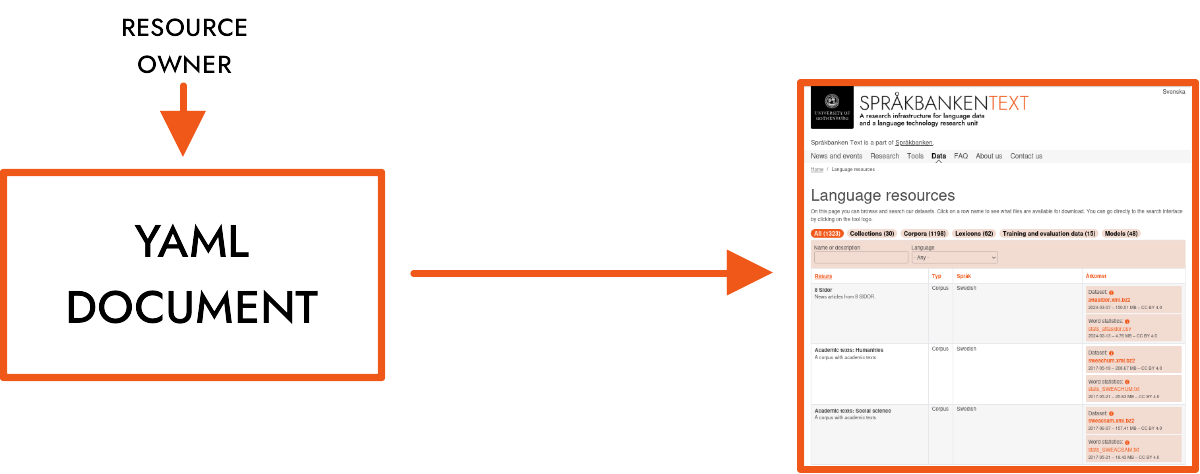
The main source of metadata for the resource is a YAML document that is uploaded to our metadata repository. The document is then parsed and included on our website.
Step 1. Upload the data
Resource data files (containing corpora, lexicons, models etc.) should not be uploaded to the metadata GitHub repository.
If you are working at Språkbanken at the University of Gothenburg, store the data on:
- server: k2.spraakdata.gu.se
- path on k2: /home/ftp/sb-resurser/data
- URL to use in metadata YAML file for download of data files: https://spraakbanken.gu.se/resurser/data/[path-to-file]
This directory is a safe place where we, as an organisation, can guarantee that the data never gets lost.
We usually compress data files using BZIP2 so it ends with the suffix .bz2. For creating archives (i.e. combining several files into one), we often use TAR. A free and open source program that can handle both TAR and BZIP2 is 7-ZIP. It is available for a variety of platforms. Use only a-z, 0-9, _ and - when naming the file.
If you are working somewhere else, please contact us (see above).
Step 2. Create a YAML document
You can use the Mink metadata editor to create and validate the YAML.
If you want to do it manually: Start by copying the template for your resource type. The templates can be downloaded here. If you are not sure how to fill in some of the fields, you could check other YAML resource files for comparison, keep the default values, or ask for help.
Enter the URL of the data file in the downloads section. If the resource is available in one of our platforms, don't forget to specify a link (e.g. to Korp or Karp) in the url attribute in the interfaces section.
If you are comfortable using the terminal you can use a json schema validation tool (e.g. boon) to validate your file against the provided json schema.
Step 3. Give the YAML document a unique name
Save the document as {id}.yaml, where idis a name made up of lowercase letters, numbers, dashes and underscores (e.g. suc3, svensk-fraktur-1626-1816, stanza_synt).
This name needs to be unique within Språkbanken. You can check that the id is unique by entering https://ws.spraakbanken.gu.se/ws/metadata/v4/check-id-availability?id=<id> in your web browser.
Step 4. Upload the YAML document
If you are working at Språkbanken at the University you can add the document to the correct directory in our GitHub repository. This can be done via GitHubs web interface or via a terminal.
If not, you can do a pull request.
If you are not sure what this means, please e-mail us the YAML file.
Step 5. Finished!
Your resource will soon be listed under Data or Analyses on our website.
Description fields
There are two description fields in the YAML document. The short_description describing the resource in a few words or a sentence must be filled in.
Besides this short description, a user considering your resource is likely to need a few sentences further describing the nature of the resource, in order to consider its relevance. Data sources, temporal extension, means of text extraction, internal taxonomy, diagrams and links to blog posts are some examples of content that can improve the accessibility of your resource. This information can be provided in the description field. This is optional, but recommended. The description field may contain plain text, Markdown or HTML.
Text format
Text fields can always contain plain text, i.e. text that is not formatted. The following fields can also handle Markdown and HTML-formatted text:
- annotation (swe, eng)
- description (swe, eng)
- intended_uses (swe, eng)
- standard_reference
- other_references
- caveats (swe, eng)
DOI (persistant identifier)
You should not provide a doi for a new resource. It is created automatically and added to the YAML once it is in the repository. The YAML should not have a line with an empty doi.
Modifying existing resources
If you want to modify metadata of an existing resource, start by finding it in our GitHub repository and update it using the web interface or a terminal.
Do not change the doi. If you need to change the id, please contact sb-webb@svenska.gu.se.
Archive
For data that is no longer in use but still might have some value, remove the YAML document (metadata) from the GitHub repository, then create a .tar.bz2 archive of the YAML document and the data, and place it on the k2.spraakdata.gu.se server in the directory /home/ftp/sb-resurser/data/archive.
Hugging Face
We encourage publication of our resources at Hugging Face. They should be published under the "sprakbanken-se" organization.
At the same time it is important to also publish them on our website. The method is described at the start of this page, using the templates described under "Step 2. Create a YAML document". The model template also works as a guideline as to what information to include in the Hugging Face record.
As the datasets/models can be large, we start with providing the data only on Hugging Face. The link to the Hugging Face-model can then be provided in the "downloads"-section of the YAML-file.
It is important that the model has the same name on Hugging Face and our metadata repository. This is how we can discover and show the connection (see https://sprakbanken.se/resurser/forarbeten1734 for an example).
If you need any help with the Hugging Face account, eg getting the right permissions, contact Kristoffer.